
NanoVNA Firmware Updates
⚠️ Important: Check Before You Flash
Ensure you select the correct firmware for your hardware version. Using incompatible firmware will not brick your device, but it will fail to boot until the correct version is flashed.
To identify your model: On your NanoVNA, go to CONFIG → VERSION. Look at the device name at the top of the screen.
Official Hardware Versions
Official NanoRFE hardware is designed for professional-grade performance and receives regular stability updates.
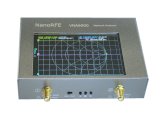
VNA6000 (V3 Series)
High-performance 6GHz architecture with advanced shielding and low noise floor.
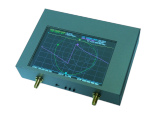
V2 Plus4 / Plus4 Pro
The industry standard 4.4GHz analyzer. Note: V2 Plus5 was renamed to V2 Plus4 Pro.
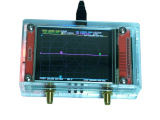
NanoVNA V2 Plus (V2.3)
Original 2.8" display model. Faster update rate than standard V2.2.
NanoVNA V2.2
The earliest hardware version. Warning: We stopped selling these in 2020. Most V2.2 units on the market today are underperforming clones.
How to Update Your NanoVNA Firmware
- Power Off: Ensure your NanoVNA is completely switched off.
- Enter Bootloader: Hold down the JOG LEFT button (the leftmost of the three buttons) and switch the device on.
- Release: Once the screen turns white, release the button.
- Connect: Connect the device to your PC and open the NanoVNA-QT software.
- Flash: Select the device in the "Device" menu and choose the `.bin` file you downloaded above.
- Finish: The device will automatically reboot. The process takes roughly 10 seconds.
Unofficial Hardware Compatibility
The following hardware variants are unofficial clones. While we do not support these devices, the following legacy firmware versions are known to be compatible.
| Hardware Description | Firmware Version | Download |
|---|---|---|
| 3.2" "Black and Gold" / V2 Pro (HDMB) | 2020.10.13 | Download |
| "V2.74" from Blackmagic | 2020.10.13 | Download |
| 2.8" V2 with Metal Case | 2020.10.13 | Download |
Note on LiteVNA & SAA-2N: These are unauthorized clones using unauthorized modifications of the S-A-A-2 design. We do not provide firmware updates or technical support for these versions.