Beware of cheap underperforming clones

As of 2023 there are many badly performing clones on the market. V2/3GHz NanoVNA uses parts like ADF4350 and AD8342 which are costly and clones have been cutting costs by using salvaged or reject parts.

See official store and look for V2 Plus4/V2 Plus4 Pro versions only to avoid getting a bad clone. We have stopped selling V2.2 versions since October 2020, so all V2 hardware that are not Plus or Plus4 are not made by us and we can not guarantee performance.

NanoVNA V2 Forum

Note: this page is a mirror of https://groups.io/g/NanoVNAV2.
Click here to join and see most recent posts.

Nanovna v2plus4 choppy traces.


Greg 2026/02/01 15:04

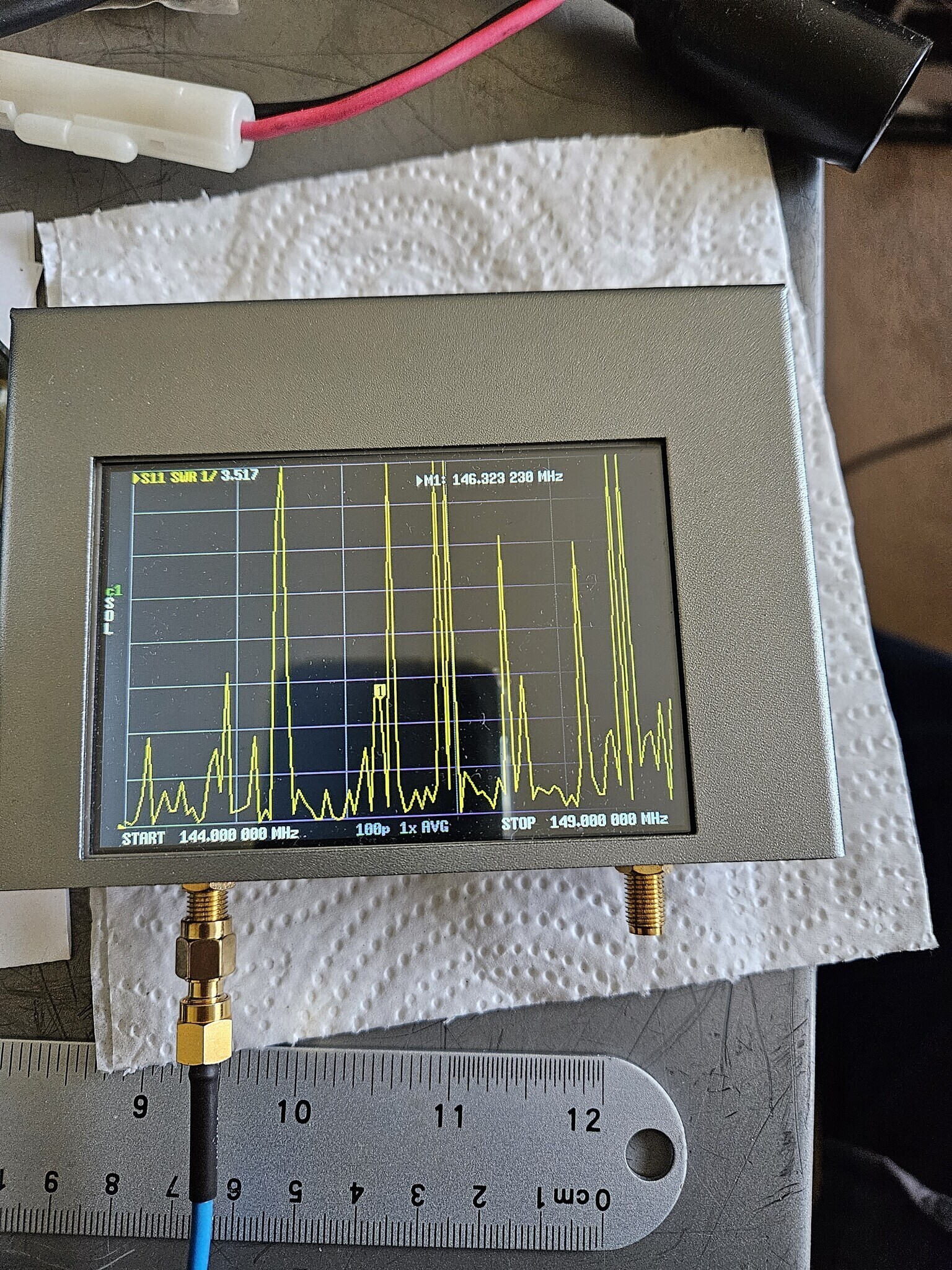
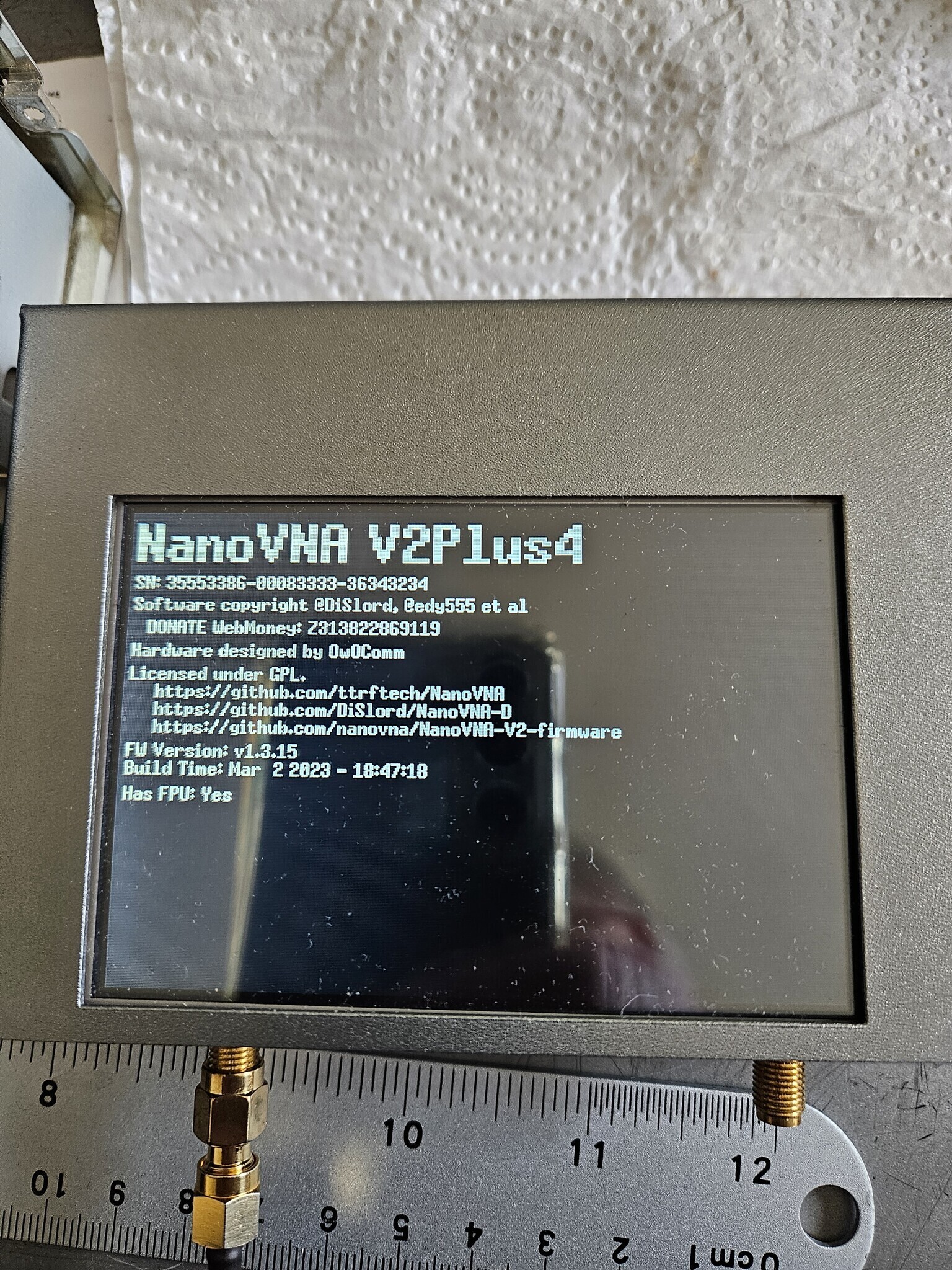
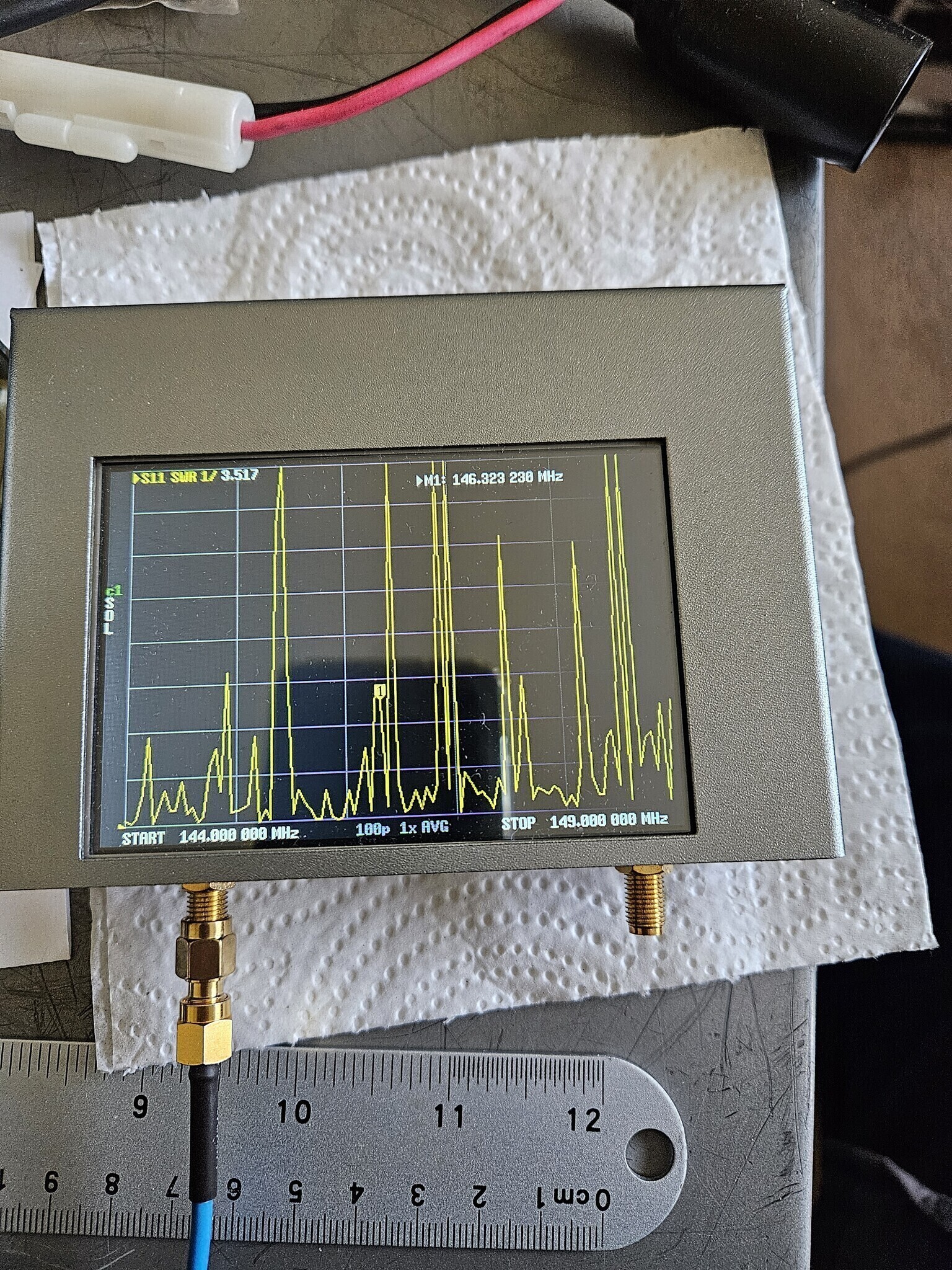
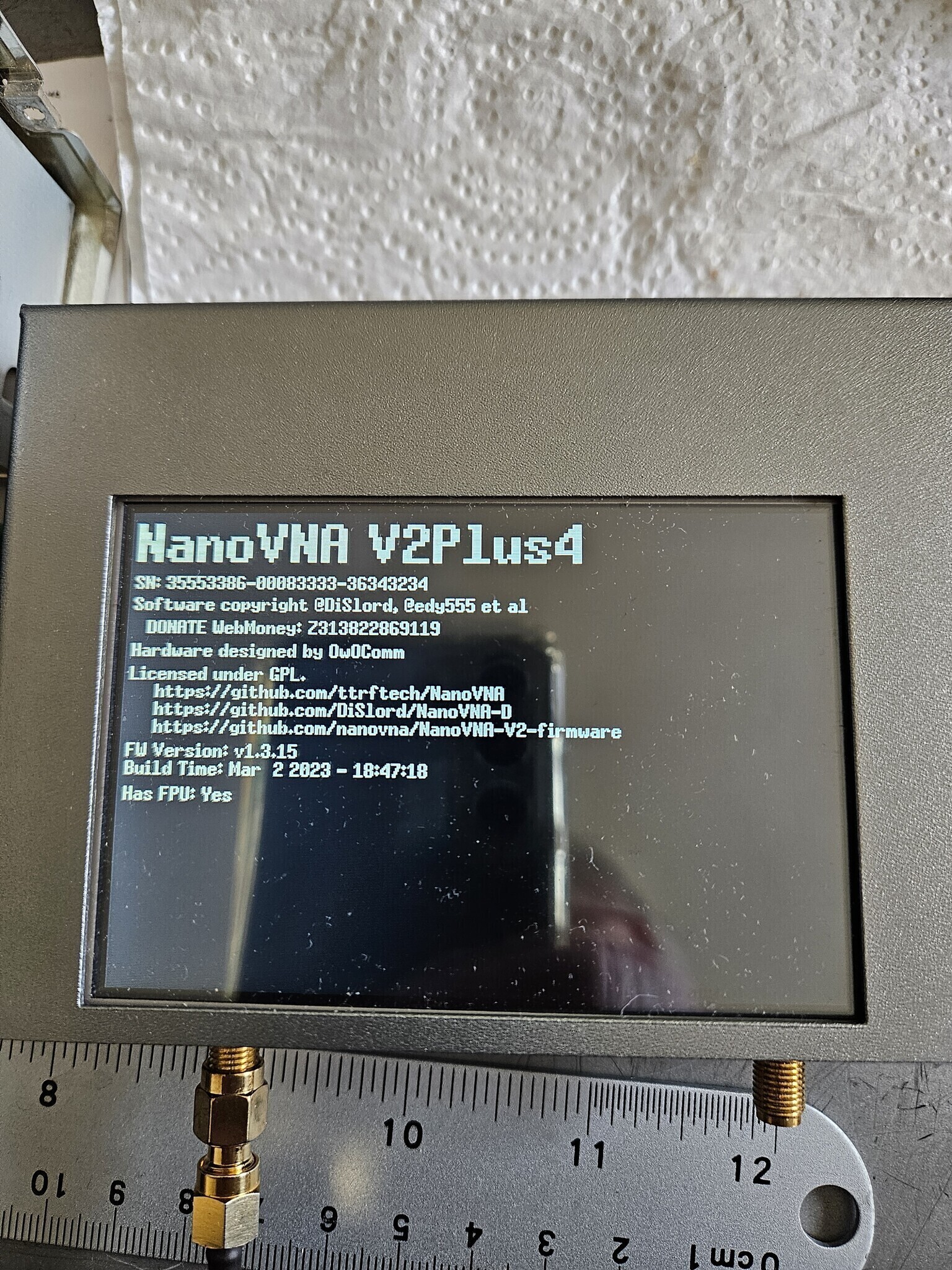
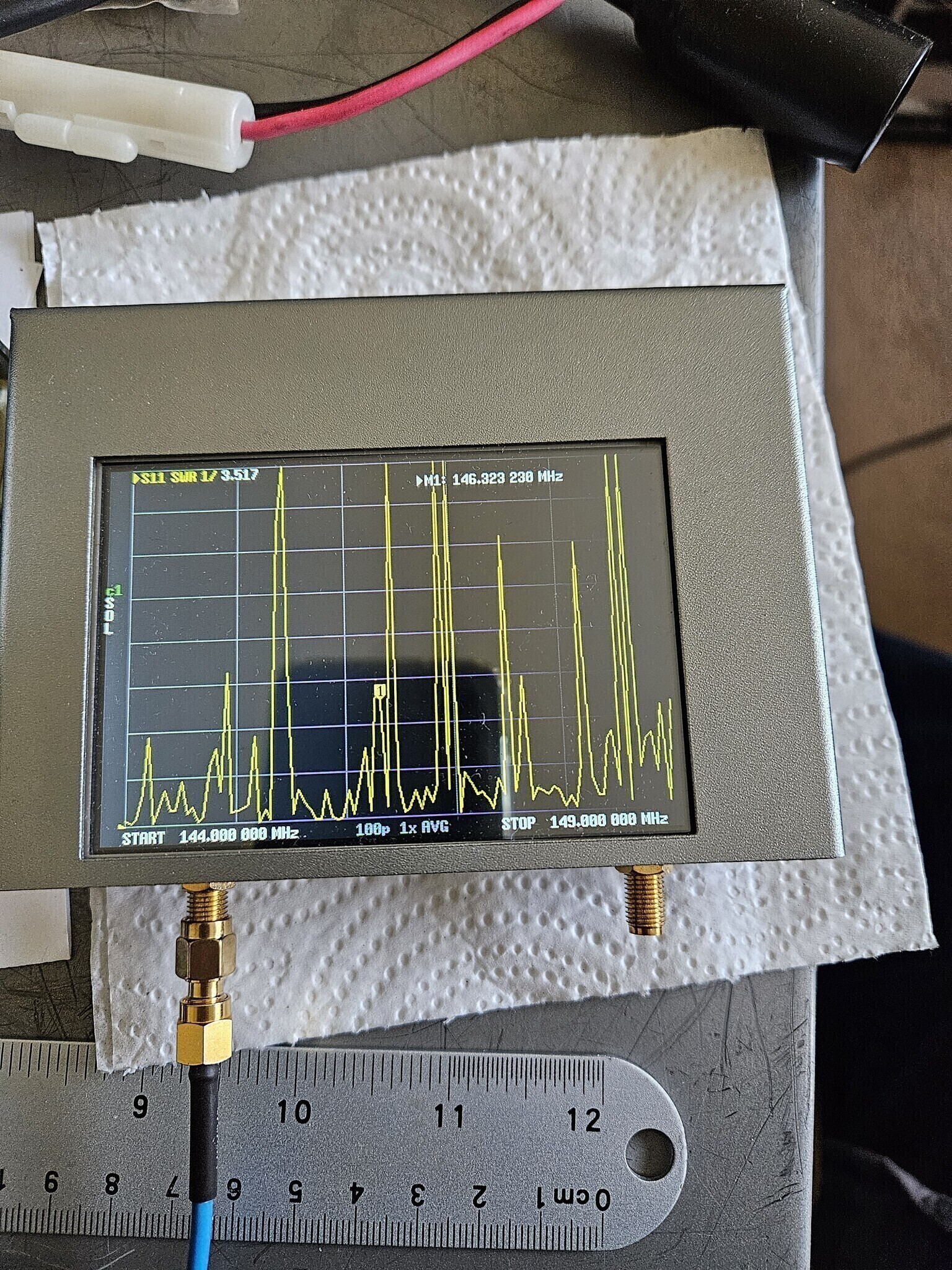
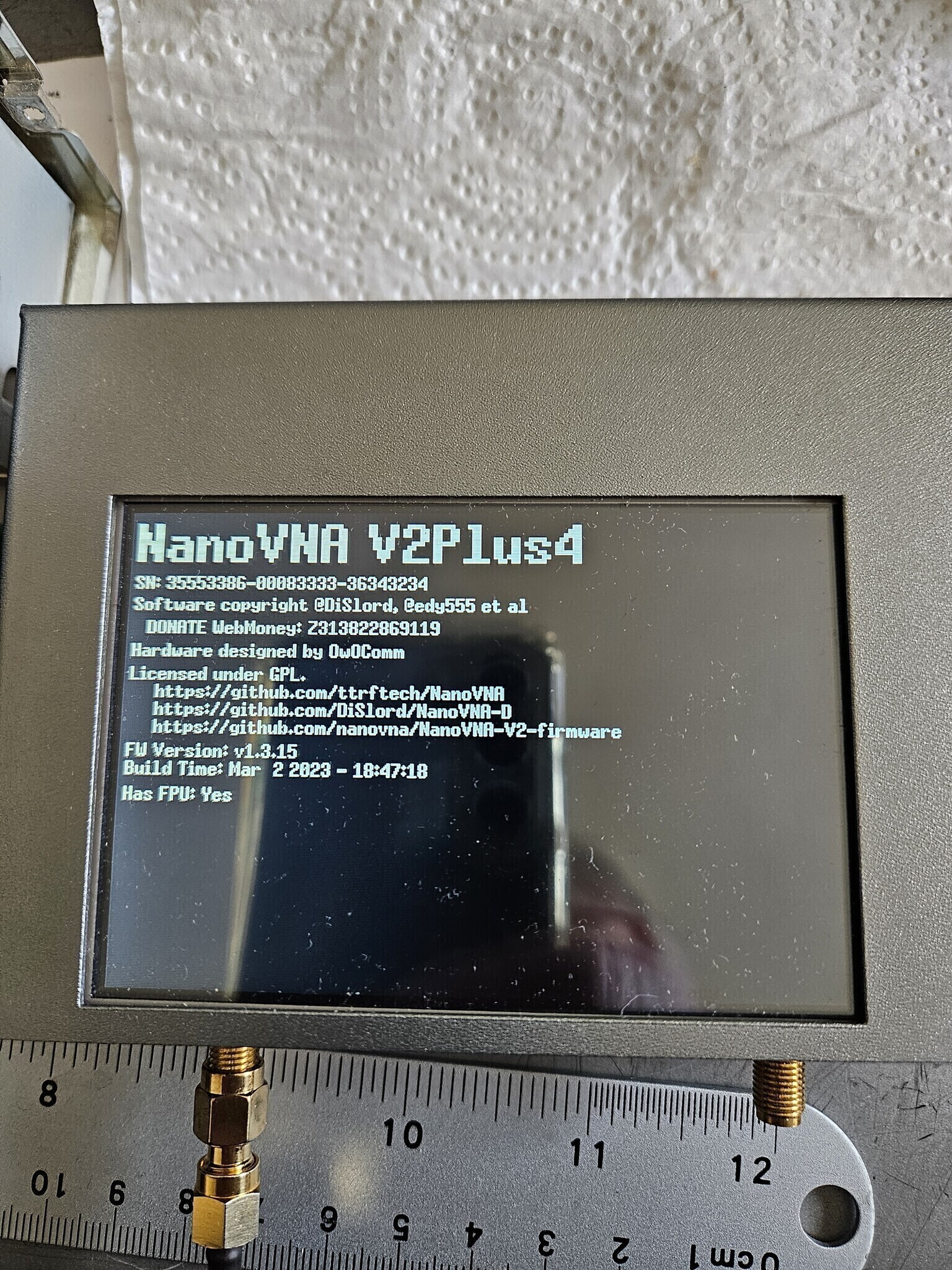
Does anyone have any ideas why my sweep traces are all choppy?  I don't get a curve.  I got my nanovna v2 plus4 out from being put away for a year and it is all crazy.  I havn't any idea what happened to it.  ???  Is there a setting I am overlooking, wrong firmware? Thanks for any help. Greg

David J Taylor 2026/02/05 15:13

On 01/02/2026 23:04, Greg via groups.io wrote:
> Does anyone have any ideas why my sweep traces are all choppy?  I don't get a
> curve.  I got my nanovna v2 plus4 out from being put away for a year and it is
> all crazy.  I havn't any idea what happened to it.  ???  Is there a setting I am
> overlooking, wrong firmware? Thanks for any help. Greg

Greg,

The screenshot suggests that the unit is not calibrated.

Cheers,
David
--
SatSignal Software
Web: https://www.satsignal.eu
Email: davidtaylor@writeme.com
BlueSky: @gm8arv.bsky.social, Twitter: @gm8arv

David J Taylor 2026/02/05 18:19

On 01/02/2026 23:04, Greg via groups.io wrote:
> Does anyone have any ideas why my sweep traces are all choppy?  I don't get a
> curve.  I got my nanovna v2 plus4 out from being put away for a year and it is
> all crazy.  I havn't any idea what happened to it.  ???  Is there a setting I am
> overlooking, wrong firmware? Thanks for any help. Greg

Lack of calibration?

David (2nd post)

--
SatSignal Software
Web: https://www.satsignal.eu
Email: davidtaylor@writeme.com
BlueSky: @gm8arv.bsky.social, Twitter: @gm8arv

Leif M 2026/02/05 12:56

Q traces are also choppy. Xl and R are good, but Q=Xl/R is not

W0LEV 2026/02/05 21:32

You might try setting your sample rate greater. Likely you did the sweep
at only 100 dots for the entire 4 MHz. SAVER allows up to a bit over 1000
dots / samples.

Dave - WØLEV

On Thu, Feb 5, 2026 at 2:53 PM Greg via groups.io <WA6KNO=aol.com@groups.io>
wrote:

> Does anyone have any ideas why my sweep traces are all choppy? I don't
> get a curve. I got my nanovna v2 plus4 out from being put away for a year
> and it is all crazy. I havn't any idea what happened to it. ??? Is there
> a setting I am overlooking, wrong firmware? Thanks for any help. Greg
>
>
>

--

*Dave - WØLEV*

Mark Harrison 2026/02/06 10:23

Choppy display can be caused by strong RF signals overloading the VNA
frontend if you are measuring an antenna.
Do you get normal displays during calibration?

Regards,
Mark

On Fri, 6 Feb 2026, 1:53 am Greg via groups.io, <WA6KNO=aol.com@groups.io>
wrote:

Alan Bartkowiak 2026/02/06 09:15

Good morning,
I would start off by using the correct firmware from here:
https://nanorfe.com/nanovna-v2.html

After updating the firmware, do a complete calibration SOLT at the desired
test frequency. If
it still shows as choppy with the DUT, put the load slug on and see if it
shows a flat line. If it shows a flat trace then
the fault is in whatever you're testing.

Good luck, N2ZVN


On Thu, Feb 5, 2026 at 9:53 AM Greg via groups.io <WA6KNO=aol.com@groups.io>
wrote:

W0LEV 2026/02/07 17:25

Again:

1) Before a new cal. ALWAYS do a RESET CAL.

2) After the new cal is complete and stored in one of the five registers,
go back and verify the SOL measures as they should using your cal standards.

*ON THE SMITH CHART*:

*OPEN*: On the extreme right at the circle and central horizontal line
intersection.

*SHORT*: On the extreme left at the circle and central horizontal line
intersection.

*LOAD*: At the "Bull's Eye" in the center of the Smith Chart.

Dave - WØLEV

On Sat, Feb 7, 2026 at 6:10 AM Alan Bartkowiak via groups.io <N2ZVN.AE=
GMAIL.COM@groups.io> wrote:

> Good morning,
> I would start off by using the correct firmware from here:
> https://nanorfe.com/nanovna-v2.html
>
> After updating the firmware, do a complete calibration SOLT at the desired
> test frequency. If
> it still shows as choppy with the DUT, put the load slug on and see if it
> shows a flat line. If it shows a flat trace then
> the fault is in whatever you're testing.
>
> Good luck, N2ZVN
>
>
> On Thu, Feb 5, 2026 at 9:53 AM Greg via groups.io <WA6KNO=
> aol.com@groups.io> wrote:
>
>> Does anyone have any ideas why my sweep traces are all choppy? I don't
>> get a curve. I got my nanovna v2 plus4 out from being put away for a year
>> and it is all crazy. I havn't any idea what happened to it. ??? Is there
>> a setting I am overlooking, wrong firmware? Thanks for any help. Greg
>>
>>
>
>

--

*Dave - WØLEV*

Greg 2026/02/11 23:38

It's calibrated for that range.  You can see that on the left side. Thanks for the idea though.

W0LEV 2026/02/13 18:13

No image attached but referred to in this posting.

If you are connecting to an antenna or anything that couples to space, any
strong local RF source like AM, FM or TV broadcasters or poublic service
comms can cause the baseline to jump around and the modulation may cause
the trace to become "fuzzy".

Dave - WØLEV

On Fri, Feb 13, 2026 at 7:00 AM Greg via groups.io <WA6KNO=aol.com@groups.io>
wrote:

> It's calibrated for that range. You can see that on the left side. Thanks
> for the idea though.
>
>
>

--

*Dave - WØLEV*

To reply to this topic, join https://groups.io/g/NanoVNAV2

View this thread on groups.io